Next-generation production control.
Horizon CTRL digitises life at the pen edge: an overview of every task, easy registration in the field, and data shared seamlessly across teams and sites. The result is better data quality, less paperwork and more efficient operations, whether you are online or offline.
What do we mean by next generation?
Finally, you have an alternative to the existing solutions. We built Horizon CTRL new from the ground up on a modern platform, with security, scalability, data quality and usability guiding every choice. We believe tomorrow's production control looks quite different, and we intend to help shape it. For the farmers, with the farmers.
CTRL is a modern, web-based platform for collaboration between staff and for digitising routines. Planning of daily tasks, registration of production data, checklist maintenance and communication between departments all live in one system. It comes with a comprehensive reporting and analysis package. Use your own data warehouse, or Horizon Omnia for rich, combined reporting including specialised reports like Altinn and insurance.
Digitalisation
Efficient data capture by registering straight into CTRL. Less paper and double entry, more time for the fish.
Data quality
CTRL helps you register correctly. Higher-quality data gives a better basis for reports and analysis.
Overview
Clear checklists and plans give better overview of what is done and what is still outstanding.
Data sharing
Register once, use many times. CTRL reads and shares data with feeding systems, production plans, sensors, Altinn and other open systems, including two-way lice-count integration with Stingray. You own your data.
Collaboration
Message fish health, make a plan, assign a task. Clear messages that save time. Work tasks and plans in the same system, with secure sharing and role-based access.
Built for working hands
Big buttons and simple navigation for use out at the site. A shock- and waterproof tablet with a large screen keeps CTRL available in almost any conditions. A little less paper, a lot more overview.
What's inside production control.
Horizon CTRL
A modern, web-based platform for collaboration and digitising routines: daily task planning, production-data registration, checklists and cross-department communication, online or offline.
- Field registration, online or offline
- Tasks, checklists & overview
- Flexible reporting, incl. Horizon Omnia
- Reads & shares data with feeding systems, sensors and regulatory reporting
Everything operations need, in one place.
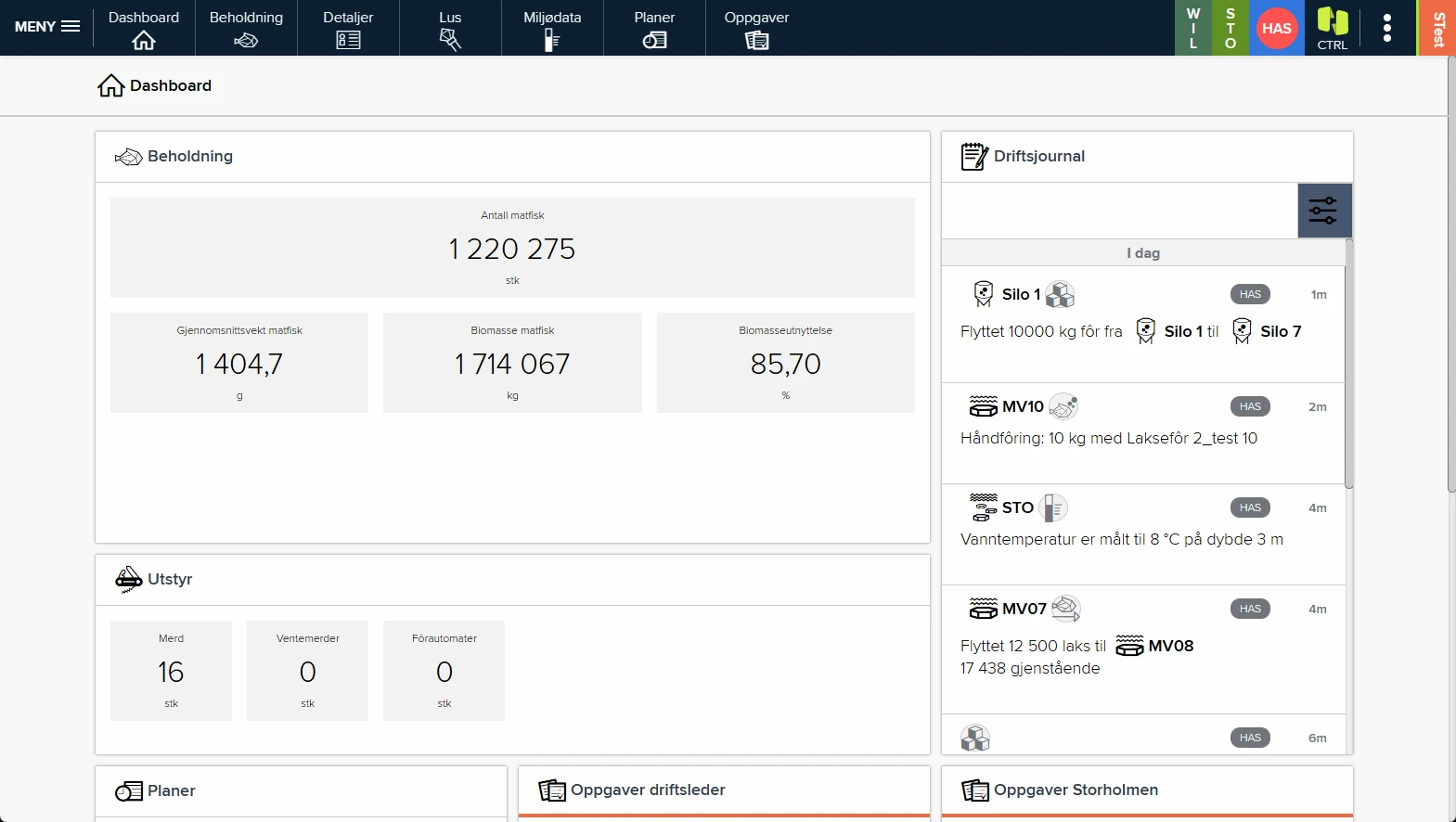
Dashboard
Key figures at a glance, with a journal showing every registration.
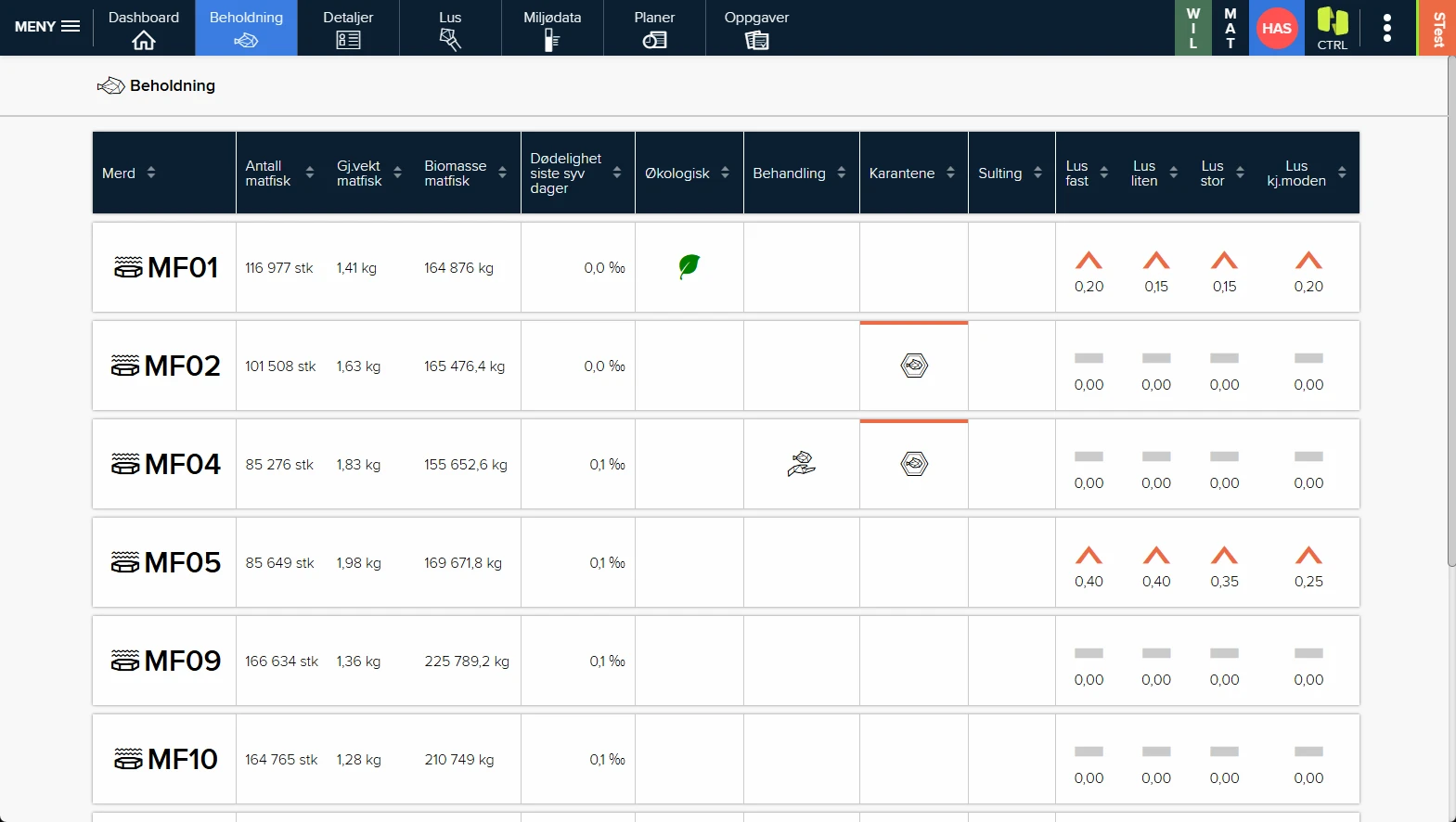
Stock overview
Clear status flags for quarantine, treatment, lice and more.
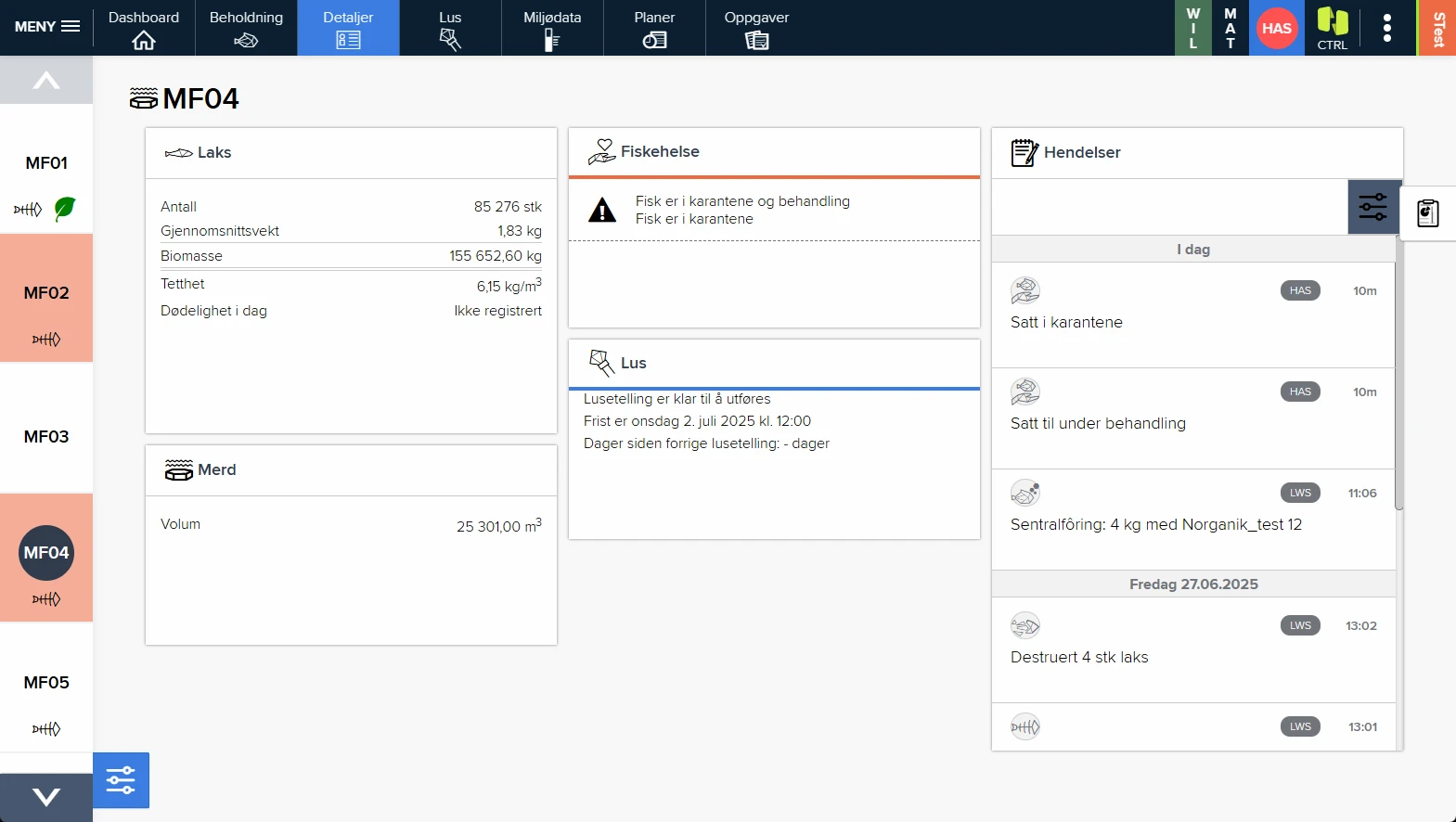
Pen card
Every detail and the full history for each pen.
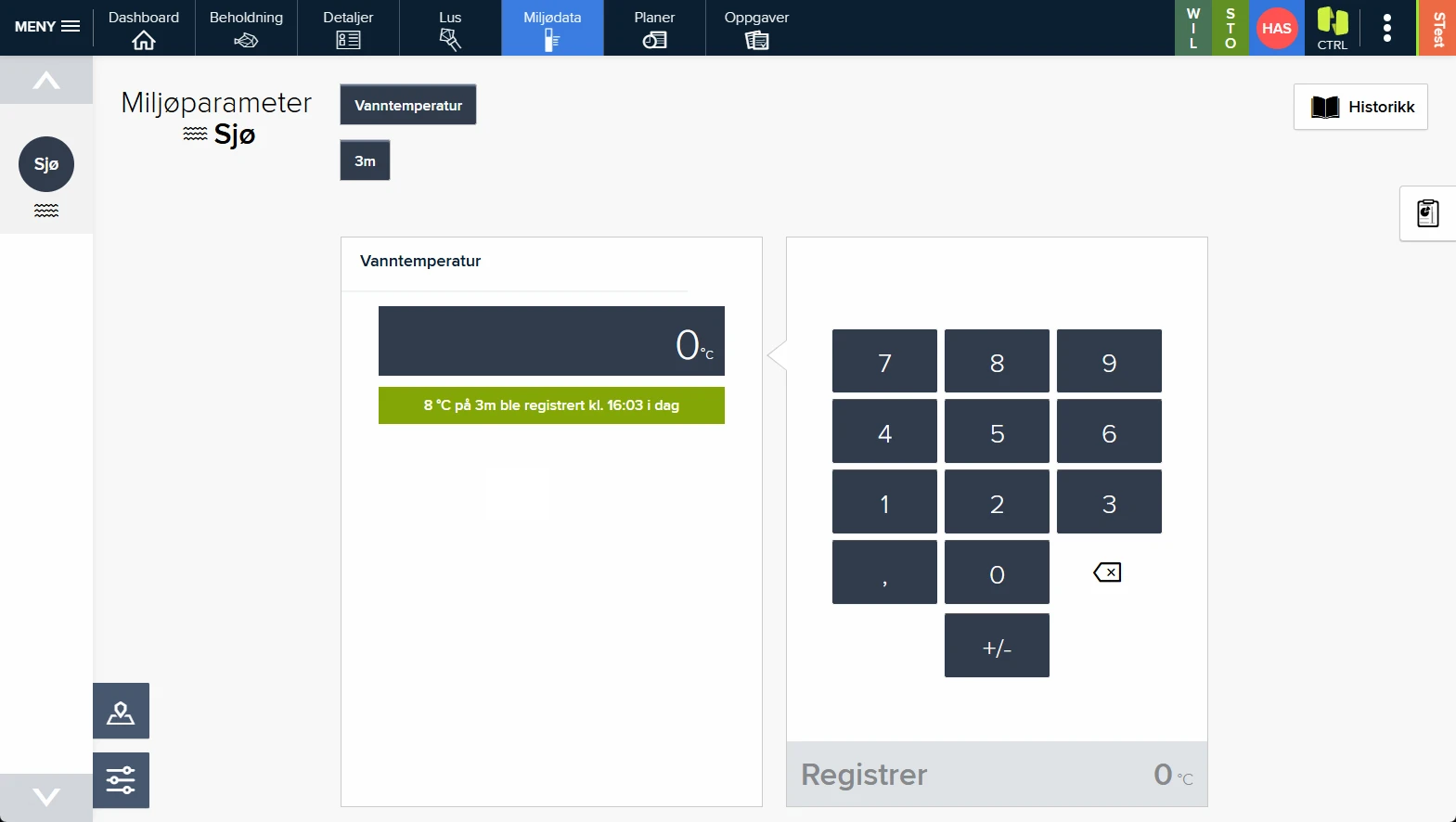
Field registration
Simple, clear registrations in the field. Skip the paper, register directly in CTRL.
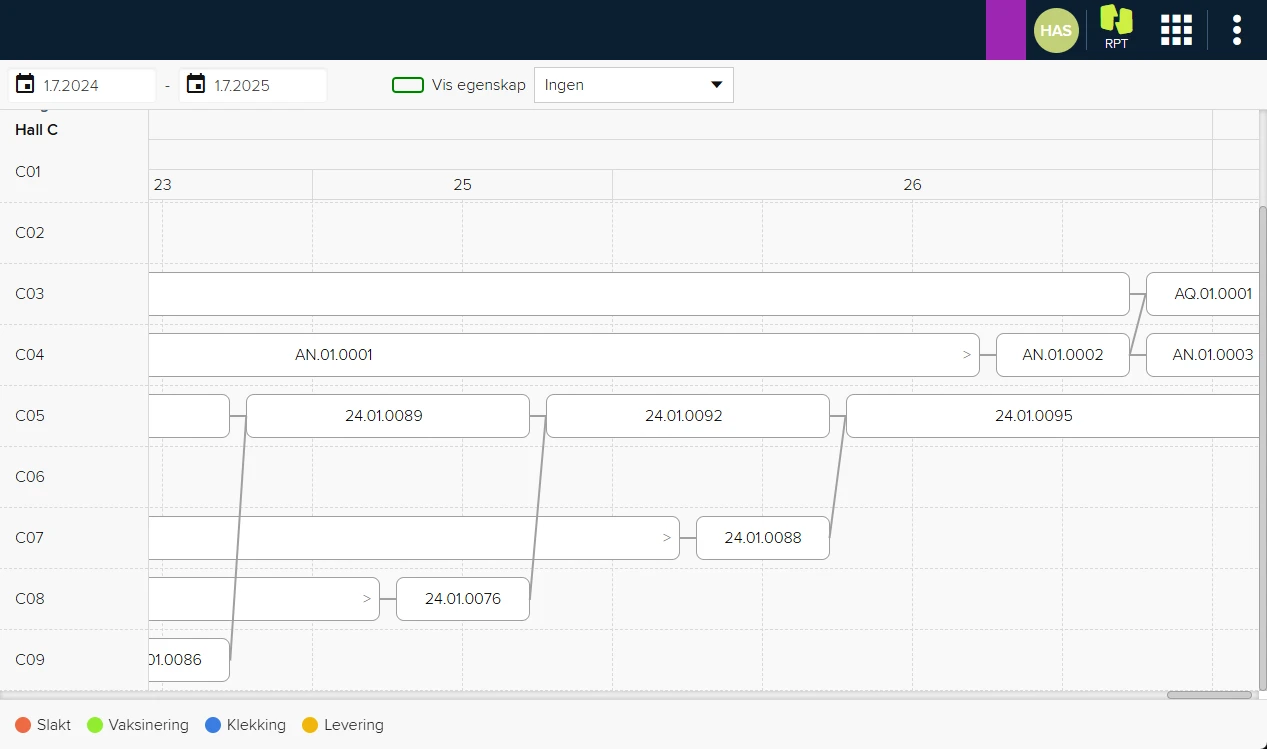
Timeline
Visualises fish movements through the site, perfect for documentation and inspections.
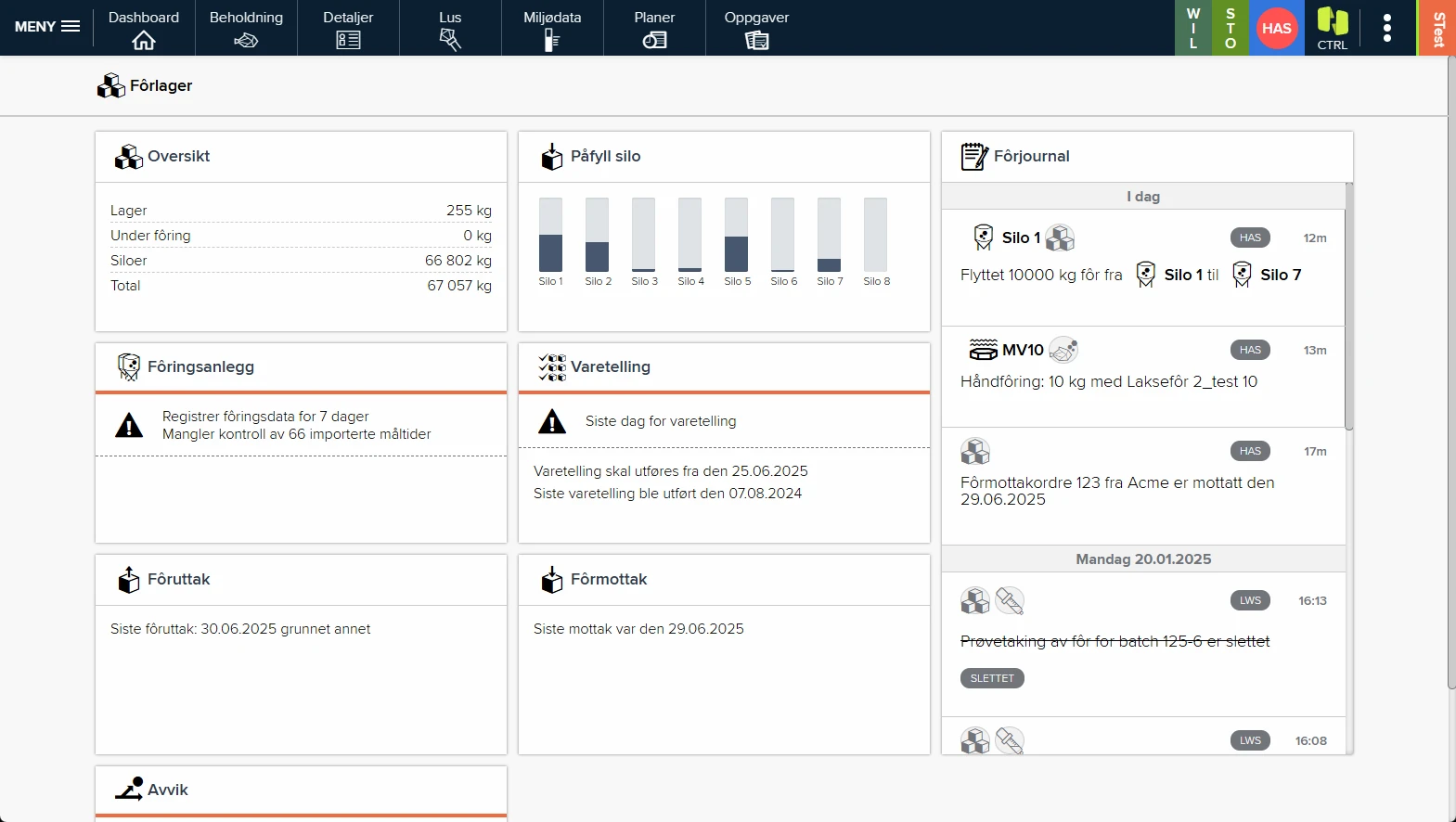
Feed-store dashboard
Full overview of feed stock and activity at the store.
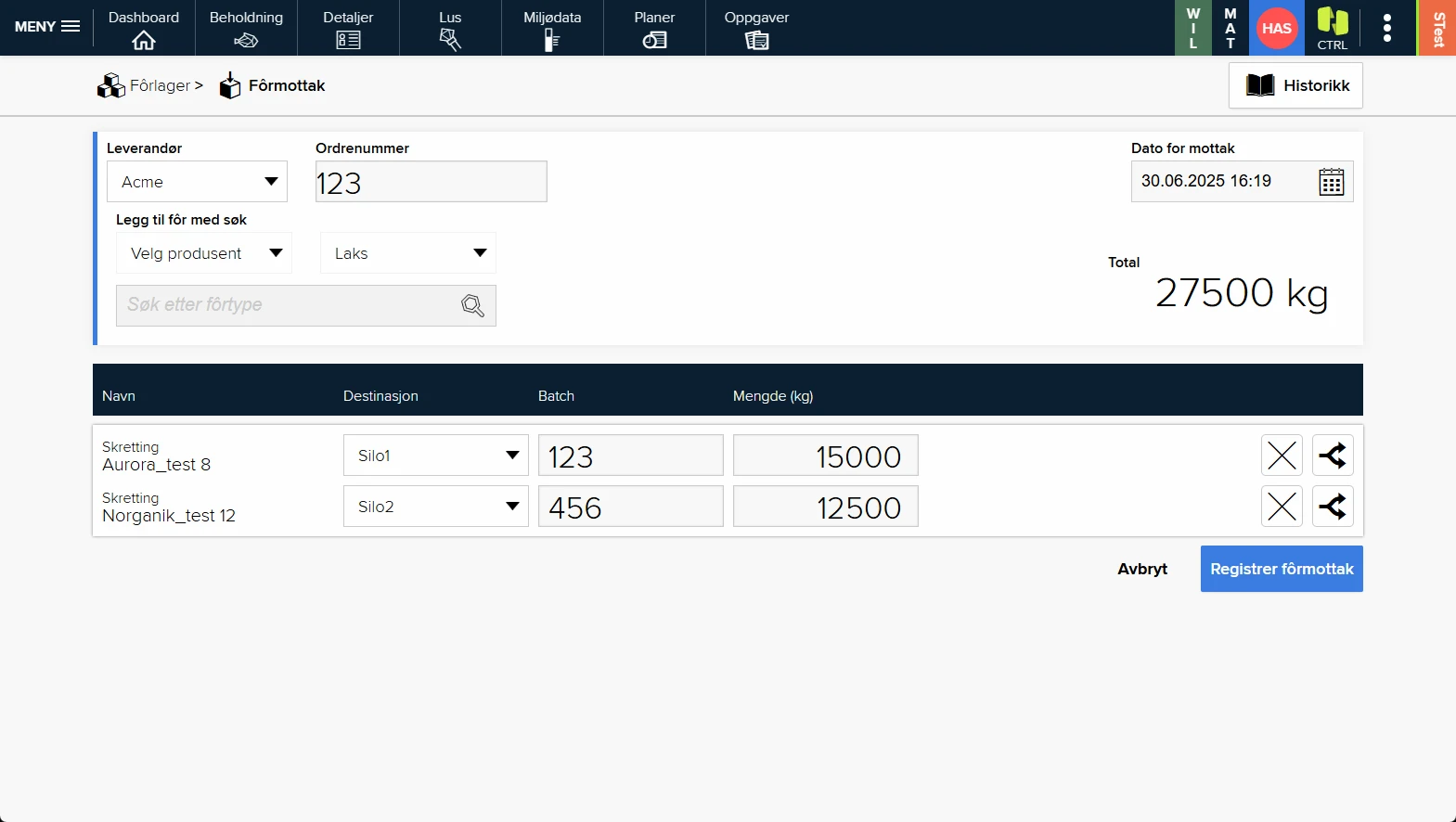
Feed receipt
Clear, simple goods receipt that eliminates typing errors.
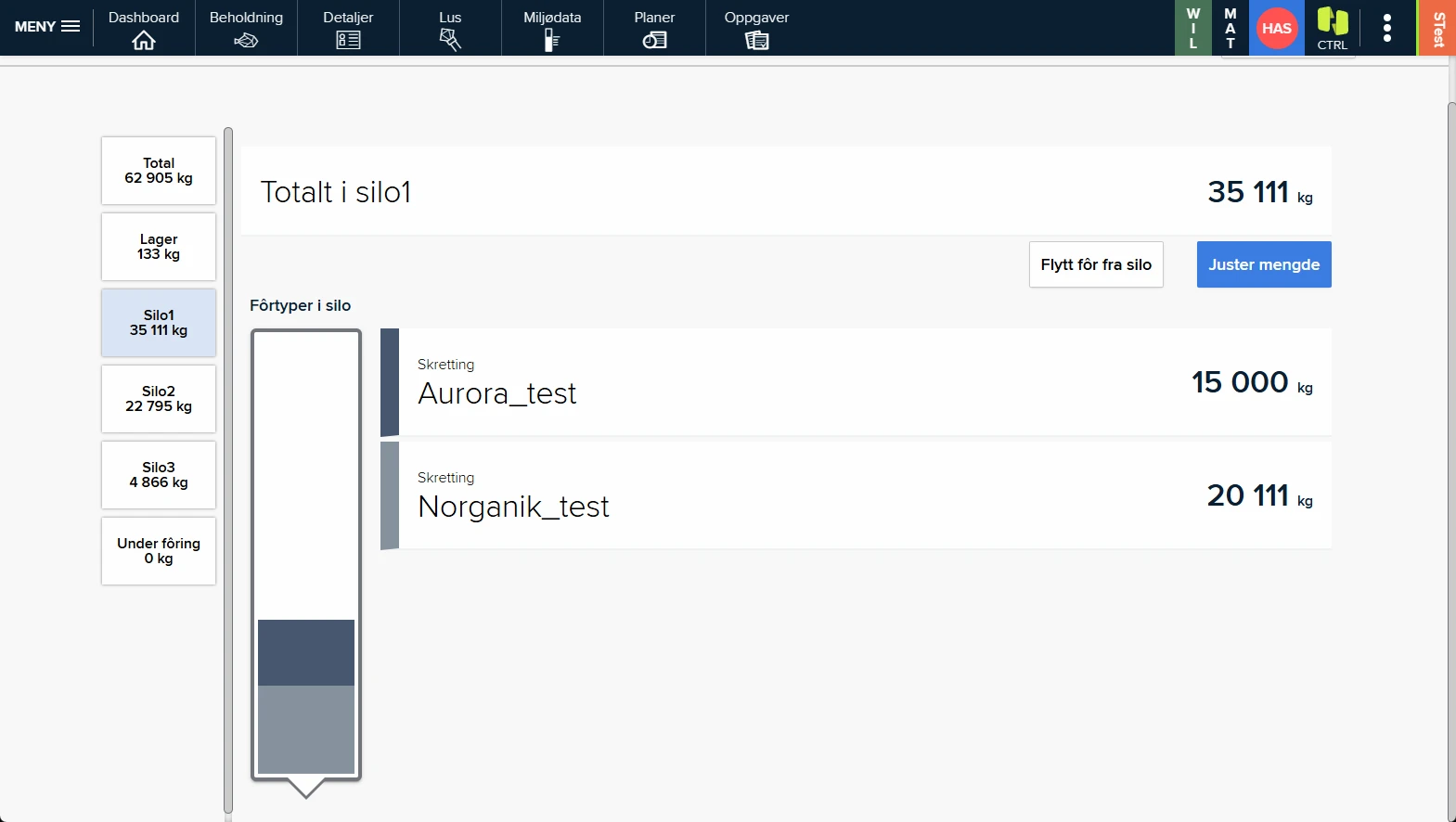
Silo detail
Feed types and batches visualised per silo.
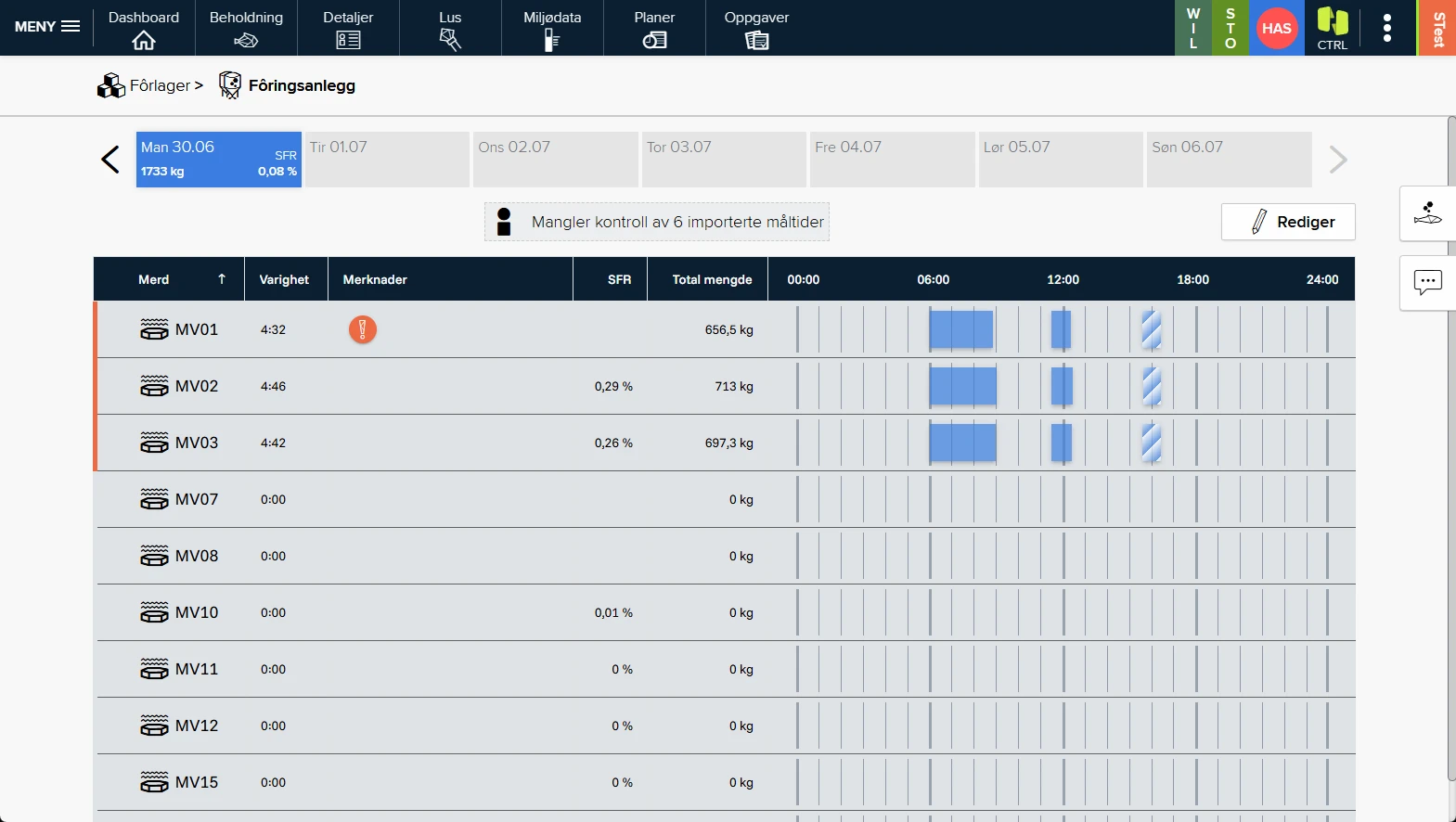
Feeding-system link
Automatic feed transfer from the feeding system, with manual check and sign-off.
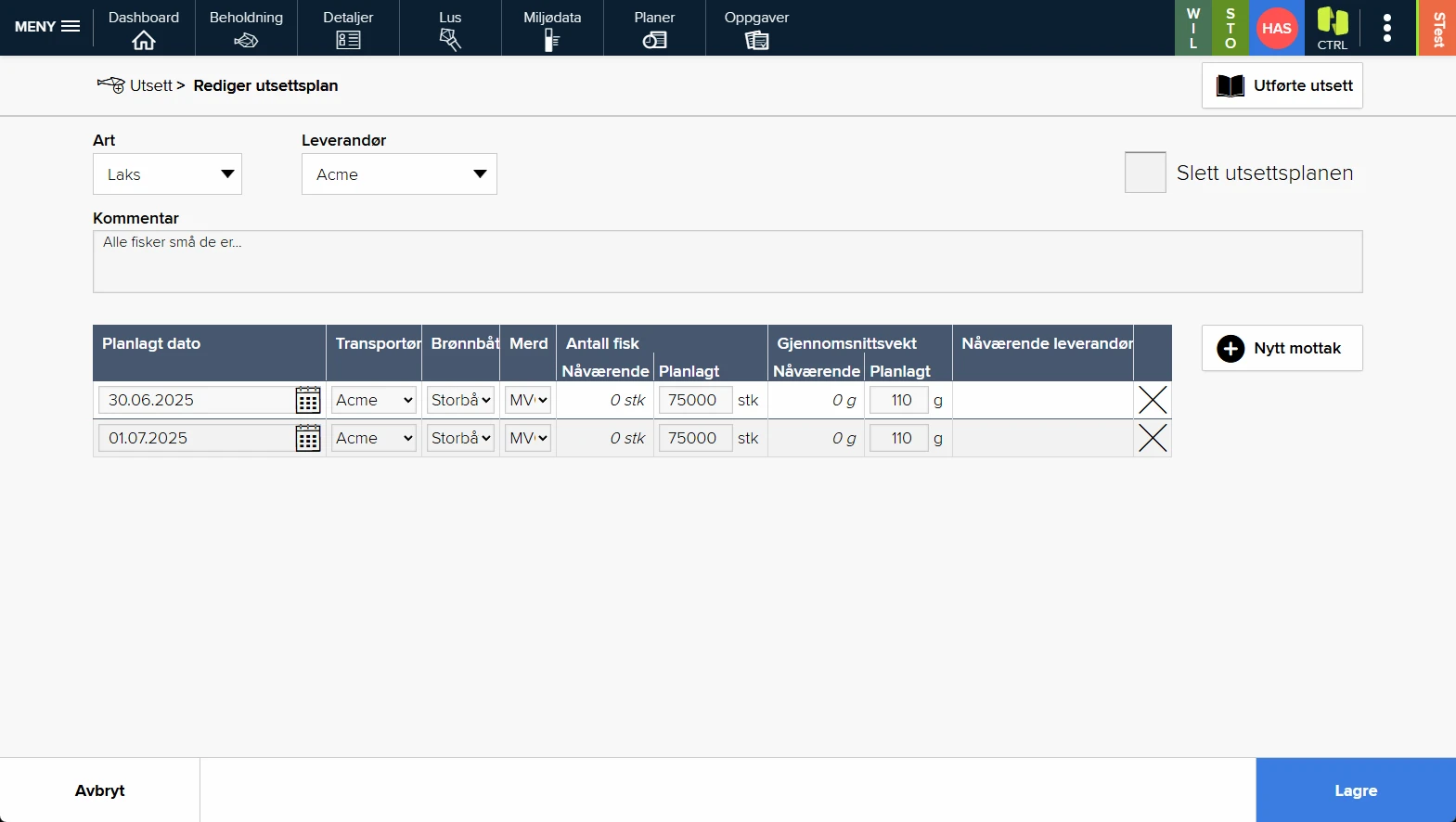
Stocking plans
Plan the stockings, and the system creates tasks and reminders.
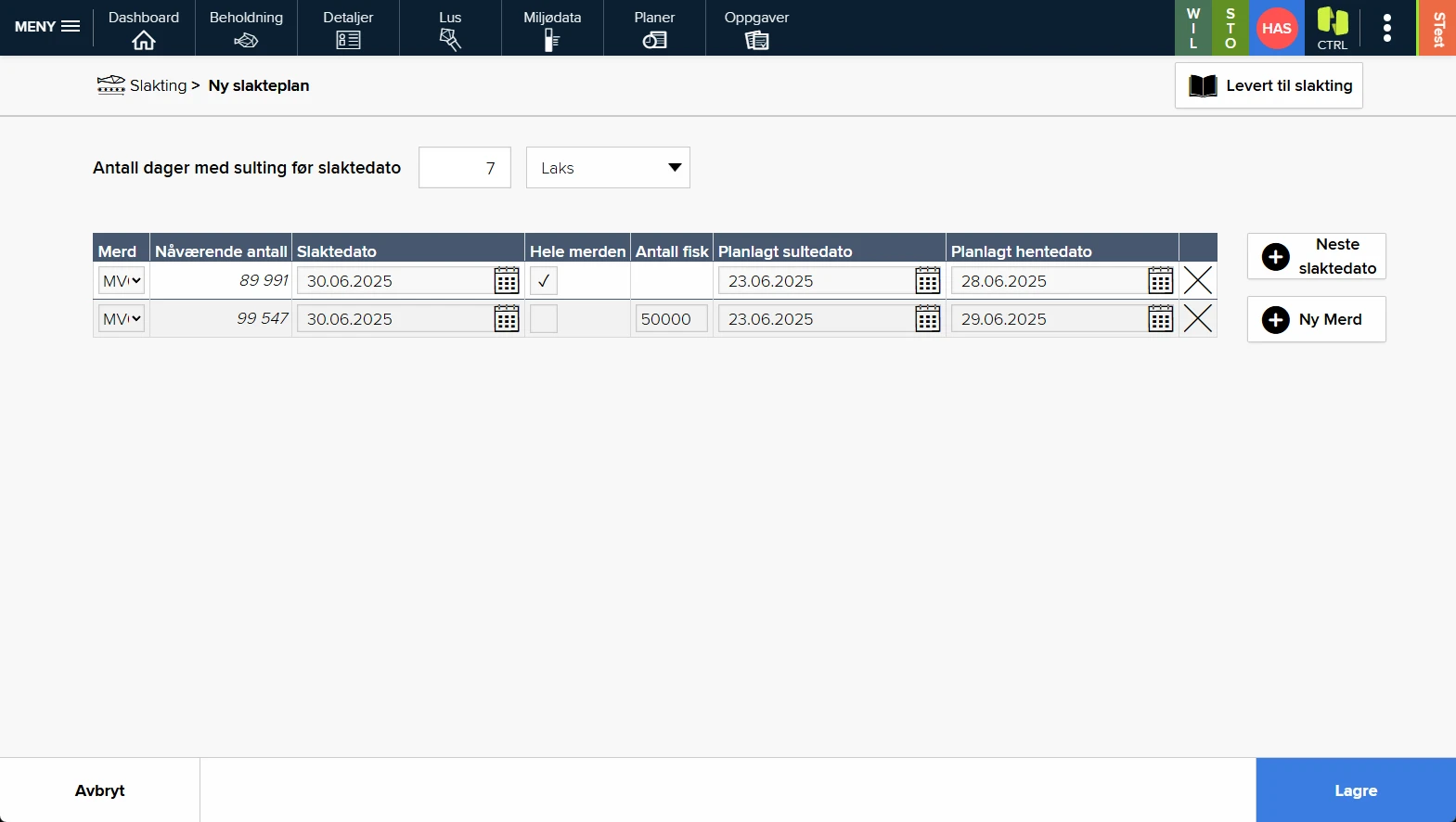
Harvest plans
Set up harvest plans, and tasks are created automatically for those who will carry them out.
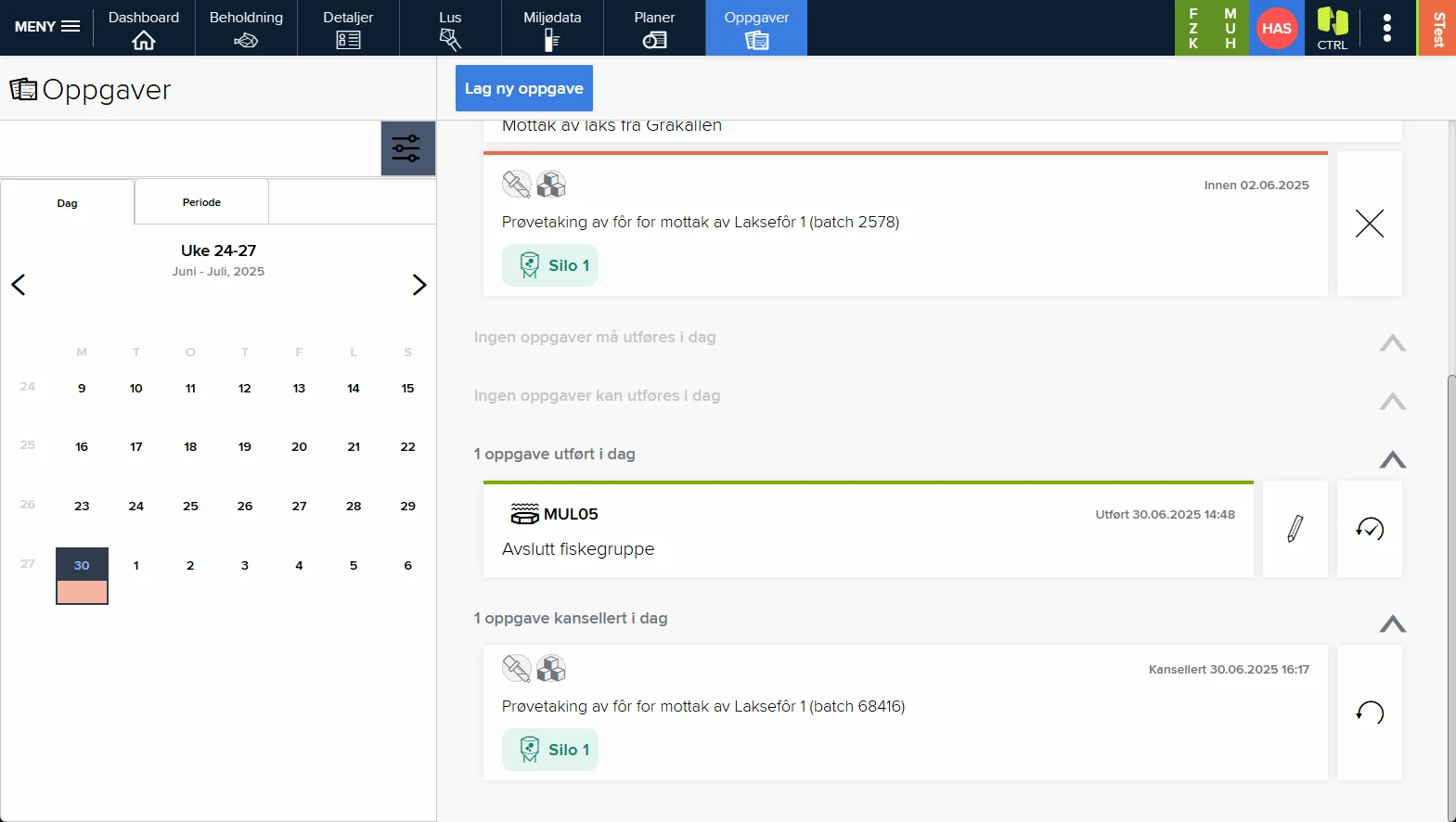
Tasks & checklists
Clear status for every task. Tick off when done, then everyone knows.
We started with blank sheets.
No old versions, no technical debt. A system design that reflects the IT world as it looks today gives the performance you expect and the security you need. Security isn't about what you've done. It's everything you forgot to do. We follow current recommendations and best practice in everything we do.
Microsoft Azure
Azure ensures scalability and a solid foundation for security, with DevOps-driven quality assurance in every step.
Single sign-on
Log in with your domain user, same security policy as the rest of your company's systems. One less password for you, simple operations for IT.
Insight
Combine production data with almost any source. Horizon Omnia links data to the fish for full traceability, even when you move or mix fish, and Power BI turns it into reports for you, the management team, or everyone.
Your own cloud
Most customers get a simpler, safer day-to-day with CTRL as a service, but if in-house operation matters, we deliver CTRL in your Microsoft Azure environment. You sit in the driver's seat, with full control of access and security.
Relax. We're here, and we have time for you.
Knowledgeable, friendly consultants are ready to help. Easy-to-read user documentation in English and web-based learning make switching systems simple and safe, from zero to expert entirely on your own, or together with us.
Online courses at your own pace
Taking everyone out of production for all-day courses is expensive and impractical. Our online courses use short, clear lessons with text and video. Completed courses give a certificate, we invite you to regular refreshers, and reports show progress, with fewer travel days and a smaller footprint.
An easy switch
The benefits of CTRL start long before the first registration. Smart solutions and a well-thought-out system design prevent downtime, data loss and disruption. See how we make changing systems easy →
A normal day with CTRL.
- 1
Start at the pen edge
Open the day’s tasks and checklists right at the site.
- 2
Register events
Feeding, mortality, counts and tasks, online or offline.
- 3
Data syncs
Registrations sync automatically the moment you are back online.
- 4
Visible to the office
Figures and status are available to the rest of the organisation at once.
Want to see CTRL at the pen edge?
We'll show how registrations, checklists and tasks go digital at the site, online and offline.
Worried about the switch itself? See how we make changing systems easy →